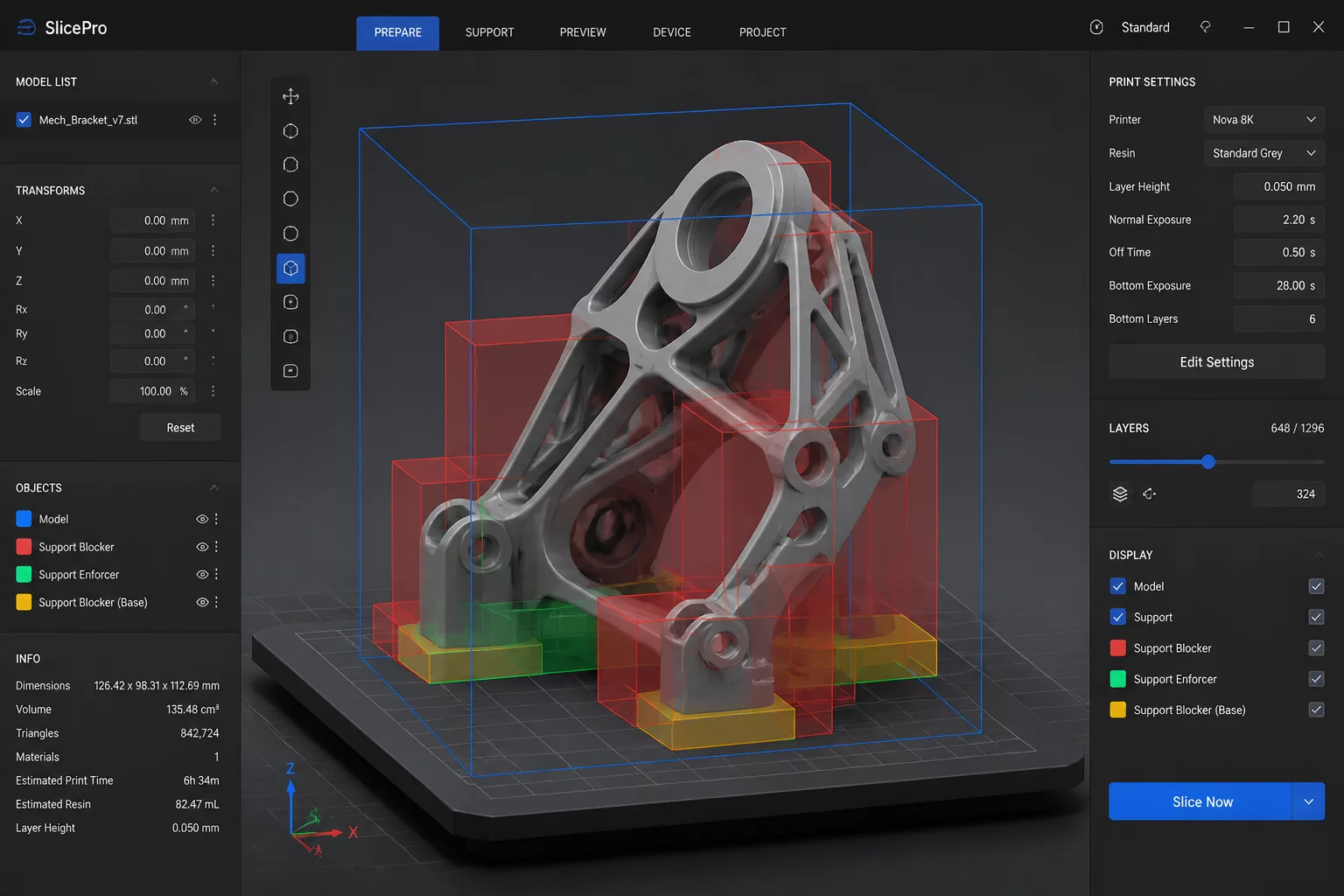
STABILIZING LOCAL MODIFIER INTERSECTIONS
When preparing complex technical models, operators frequently combine intersecting support blocker volumes with localized infill density modifiers. Previous engine builds suffered sudden segmentation faults whenever boundary clipping engines encountered coincident non-manifold edges.
Core Technical Takeaways
- Identified Crash Vector: Coincident coplanar faces between support blockers and imported STL shells triggered infinite null pointer loops during polygon clipping.
- Polygonal Clipping Overhaul: The updated slicing core sanitizes degenerate zero-thickness segments before committing boolean volumes to raster memory.
- Thread Isolation: Slicing calculations for individual plate components now execute in sandboxed thread buffers, preventing whole-app crashes when a single modifier fails.
- Deployment Guidance: Workshops utilizing multi-part modifier setups should benchmark this beta build before committing production G-code to industrial 3D print fleets.
ENGINEERING REVISION DETAILS
A granular evaluation of how Cura handles the intersection of volumetric parameters, why prior geometry calculations failed, and how the beta ensures deterministic toolpath generation.
During the support generation phase, support blockers function as volumetric masks that subtract target coordinates from the overhang candidate tree. In earlier Cura releases, placing a blocker cube directly adjacent to a model facet with identical planar coordinates produced zero-width polygon slices.
The underlying Clipper library attempted to allocate an inverted polygon boundary against an empty buffer, resulting in unhandled memory termination. The updated beta engine injects an intermediate validation pass that catches degenerate planar fragments before passing vectors to the layer generator.
- Eliminates fatal memory dereferencing during concurrent polygon subtractions.
- Applies micro-coordinate jittering to prevent perfect floating-point coincidence.
- Maintains strict bounding box boundaries without expanding overall model envelope.
When multiple mesh modifiers overlap inside a single component, Cura must resolve which infill percentage, pattern, or wall count governs the shared intersection volume. Previous software revisions attempted to solve nested modifiers concurrently without establishing a deterministic priority hierarchy.
This ambiguity frequently led to thread deadlocks or conflicting wall loops where two distinct infill geometries attempted to occupy identical coordinates. The beta enforces an explicit modifier tree where higher-level hierarchy items override lower layers consistently.
- Enforces deterministic stacking order for overlapping volumetric modifiers.
- Cleans up perimeter wall transitions across varying infill density regions.
On high-core workstation CPUs, Cura delegates slicing tasks across worker threads to expedite preparation of multi-part project plates. However, previous builds allowed secondary worker exceptions to propagate backward into the primary graphical user interface thread.
The beta establishes rigorous process boundaries around each active geometry worker. If a non-manifold mesh modifier produces an arithmetic exception, the engine terminates only the faulty sub-slice while reporting actionable diagnostic logs to the UI.
- Protects the primary desktop application from crashing during complex multi-part jobs.
- Generates verbose telemetry on problematic coordinates for CAD file remediation.
Production facilities should run this beta update in a segregated staging environment before updating workshop terminals. Slicing specialists should open historical 3MF project archives containing known support blocker configurations to inspect toolpath continuity in the preview viewport.
Verify that boundary perimeters properly fuse with core infill, and ensure that custom support exclusion zones do not create unintended gaps along steep overhangs.
- Maintain parallel installations using isolated configuration cache paths.
- Conduct visual layer preview audits on critical overhang interfaces.